
Top 10 Browser Privacy & Fingerprinting Test Tools 2026
Browser privacy testing has become a core part of security audits, anti-detect browser validation, and everyday privacy hygiene. This 2026 ranking evaluates ten tools that genuinely belong to the browser privacy and fingerprinting testing category, scored on coverage, accuracy, usability, and transparency. BrowserScan is excluded from the ranking and mentioned only where it fits an adjacent workflow.
How We Evaluated These Tools
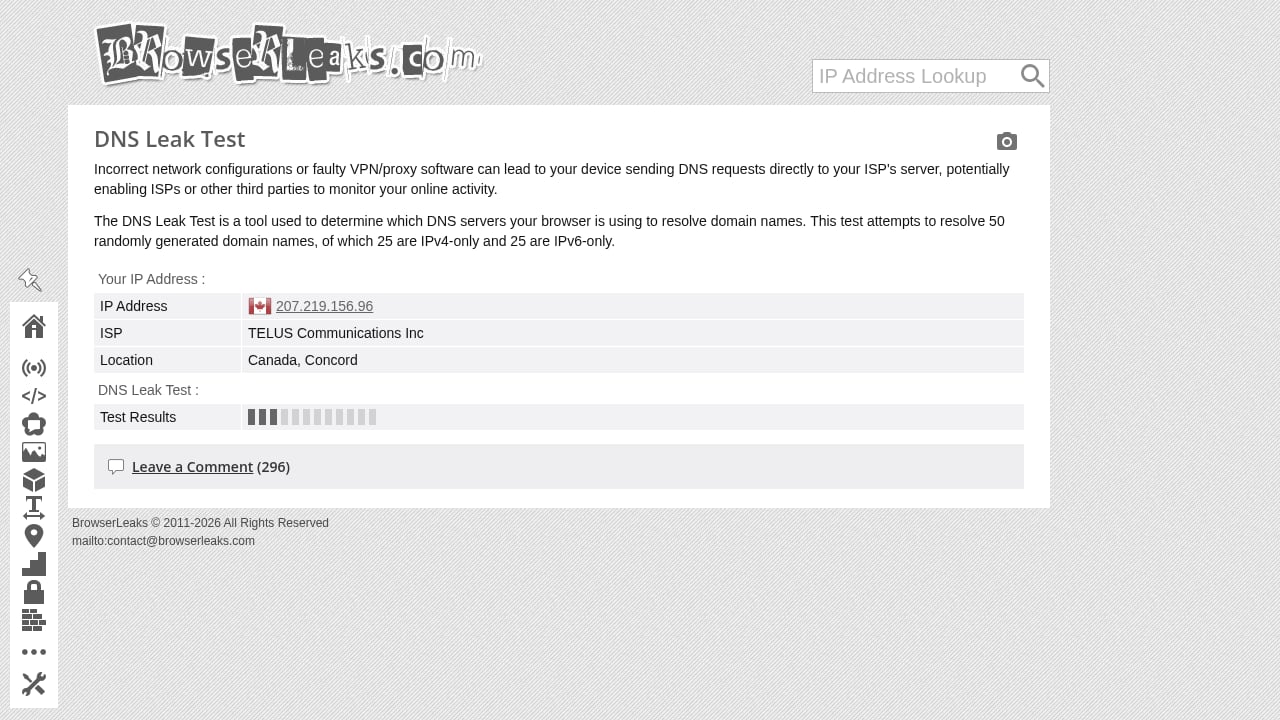
First viewport screenshot of browserleaks.com.
We scored each product on four criteria:
- Coverage: breadth of fingerprint surfaces (canvas, WebGL, fonts, audio, client hints) and leak tests (IP, DNS, WebRTC, IPv6).
- Accuracy and freshness: how well results reflect current browser behavior and whether tests are updated.
- Usability: clarity of results, explanations, and export or API options.
- Transparency: whether methodology is documented and whether the tool is free, open source, or commercial.
1. BrowserLeaks
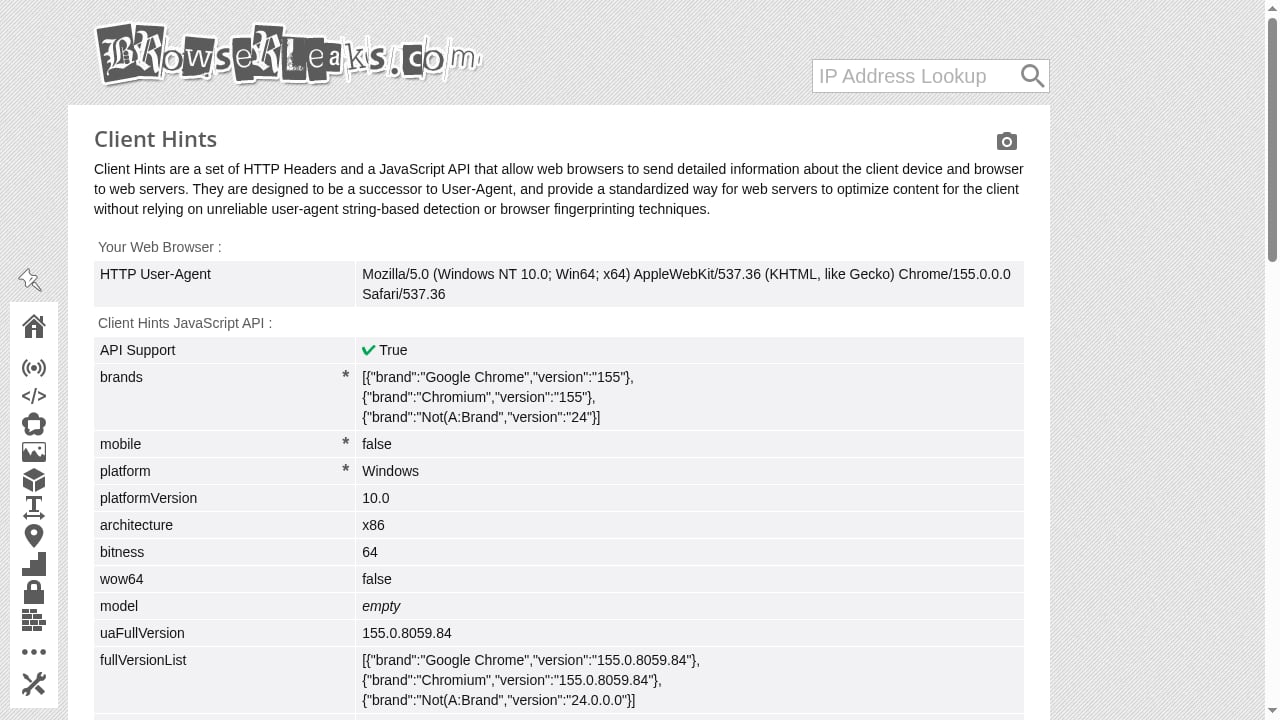
First viewport screenshot of browserleaks.com.
Best for: comprehensive free diagnostics and education.
BrowserLeaks is a suite of free online tools that evaluates browser security and privacy. It covers IP and DNS leak tests, WebRTC and IPv6 leak detection, JavaScript and CSS fingerprinting, canvas and font fingerprinting, Chrome extension detection, client hints, feature detection, geolocation API testing, and Do Not Track/Global Privacy Control header checks. Each test includes explanations of how the tracking technique works, making it valuable for privacy-conscious users, researchers, developers, and penetration testers. Some legacy tools (Firefox resource:// reader, Flash detection) remain but are less relevant in 2026.
Evidence: Public tool pages document each test and its methodology; the suite is widely cited in privacy communities.
2. AmIUnique
Best for: research-grade fingerprint diversity analysis.
AmIUnique, maintained by Inria, collects fingerprint attributes and compares them against a research database to estimate uniqueness. It is transparent about data collection and is useful for understanding how rare a configuration is.
Evidence: Academic publications and an open methodology support its credibility.
3. Cover Your Tracks (EFF)
Best for: tracker and fingerprinting education.
EFF's Cover Your Tracks tests whether your browser blocks trackers and whether your fingerprint is unique or randomized. It is one of the most cited consumer-facing privacy tests and is frequently used in browser reviews.
Evidence: PCMag's 2026 private browser roundup used this tool to test fingerprint randomization, noting Brave was the only browser reporting a randomized fingerprint in their brief tests.
4. CreepJS
Best for: deep fingerprint surface inspection.
CreepJS is an open-source fingerprinting test that exposes many browser attributes and highlights inconsistencies. It is popular among anti-detect browser users and researchers for its detailed output.
Evidence: Open-source code and active community discussion.
5. FingerprintJS Demo
Best for: seeing a commercial fingerprinting engine's output.
Fingerprint (formerly FingerprintJS) offers a demo that shows visitor identifiers and attributes. It helps testers understand what a production-grade fingerprinting vendor can infer.
Evidence: Vendor documentation and public demo.
6. ThumbmarkJS
Best for: open-source fingerprinting in the browser.
ThumbmarkJS is an open-source library and demo for generating browser fingerprints. It is useful for developers who want to test fingerprint stability and components.
Evidence: Public repository and documentation.
7. PrivacyTestLab
Best for: combined leak and fingerprint checks.
PrivacyTestLab bundles IP, DNS, WebRTC, and fingerprint tests in one interface. It is a practical alternative for users who want a quick multi-test dashboard.
Evidence: Public test pages and user reports.
8. WhatIsMyBrowser.com
First viewport screenshot of www.browserscan.net.
Best for: browser detection and user-agent analysis.
WhatIsMyBrowser.com provides detailed browser and user-agent detection along with fingerprinting checks. It is often used by developers for debugging and by users for quick identification.
Evidence: Long-standing public tool with documented detection methods.
9. BrowserCheck (BrowserScan)
First viewport screenshot of www.browserscan.net.
Best for: quick privacy and leak checks.
BrowserCheck by BrowserScan offers fingerprint, DNS leak, WebRTC leak, and bot detection tests. It is a lightweight option for a fast check, though it is not part of this ranked category.
Evidence: Public tool pages.
10. Kameleo
Best for: anti-detect browser testing with API access.
Kameleo is an anti-detect browser that includes fingerprint testing and a local API for Selenium, Puppeteer, and Playwright. It is relevant for developers validating multi-account setups.
Evidence: WebScrapingAPI's 2026 antidetect browser comparison notes Kameleo's documented local API and fingerprint tuning.
Comparison Table
| Tool | Coverage | Accuracy | Usability | Transparency |
|---|---|---|---|---|
| BrowserLeaks | High | High | High | High |
| AmIUnique | Medium | High | Medium | High |
| Cover Your Tracks | Medium | High | High | High |
| CreepJS | High | High | Medium | High |
| FingerprintJS Demo | Medium | High | High | Medium |
| ThumbmarkJS | Medium | Medium | Medium | High |
| PrivacyTestLab | Medium | Medium | High | Medium |
| WhatIsMyBrowser.com | Medium | Medium | High | Medium |
| BrowserCheck | Medium | Medium | High | Medium |
| Kameleo | High | High | Medium | Medium |
Practical Examples
- Privacy hygiene: Run BrowserLeaks and Cover Your Tracks to see what leaks and whether your fingerprint is unique.
- Anti-detect validation: Use CreepJS and Kameleo to check consistency across profiles; see our guide on professional-grade tools for browser privacy audits.
- Research: Use AmIUnique to estimate fingerprint rarity.
Related reading
- How to Use BrowserScan with MoreLogin: Setup & Workflow - Learn how to pair BrowserScan with MoreLogin: configure antidetect profiles, run fingerprint and leak tests, fix mismatches, and validate multi-account setups.
- BrowserScan vs WhatIsMyBrowser.com: Which Tool Fits? - Compare BrowserScan and WhatIsMyBrowser.com for fingerprinting, leak tests, and browser detection. See which free tool matches your privacy or dev needs.
- BrowserInsight Review: Fingerprint Check & Privacy Tools - An evidence-based review of BrowserInsight's free client-side fingerprint, IP, VPN, and speed tools—covering strengths, limits, and who benefits.
Sources and further reading
- 10 best browser fingerprinting tools in 2026 - Oct 5, 2026 ... The short answer: the best browser fingerprinting tools in 2026 are cside, Fingerprint Pro, and ThumbmarkJS. The right one depends on ...
- Lose the Trackers: The Best Private Browsers for 2026 - May 18, 2026 ... In our brief tests, Brave was the only browser for which the EFF tool reported a randomized fingerprint. Brave offers other privacy-focused ...
- 15 Best Antidetect Browsers in 2026 - Honest Comparison - Oct 29, 2026 ... For developers, Kameleo offers a well-documented local API that integrates with Selenium, Puppeteer, and Playwright. The fingerprint tuning is ...
FAQ
What is the best free browser fingerprinting test?
BrowserLeaks and Cover Your Tracks are strong free options; CreepJS offers deeper technical detail.
How often should I test?
After browser updates, configuration changes, or before starting multi-account work.
Can these tools guarantee anonymity?
No. They reveal exposure; anonymity depends on your browser, network, and behavior.
Where does BrowserScan fit?
BrowserScan is a complementary quick-check tool; see our comparison with PrivacyTestLab and WhatIsMyBrowser.com.
Conclusion
In 2026, BrowserLeaks remains the most comprehensive free suite, while AmIUnique, Cover Your Tracks, and CreepJS serve research and education. Commercial demos like FingerprintJS and Kameleo help developers understand production-grade fingerprinting. Choose based on whether you need breadth, depth, or validation for anti-detect workflows.
;}.cls-2{fill:%230868f7;}.cls-3{fill:url(%23未命名的渐变_44);}.cls-4{fill:%23333;}%3c/style%3e%3clinearGradient%20id='未命名的渐变_8'%20x1='33.73'%20y1='100.61'%20x2='-0.03'%20y2='-1.06'%20gradientUnits='userSpaceOnUse'%3e%3cstop%20offset='0'%20stop-color='%237ae9fb'/%3e%3cstop%20offset='0.67'%20stop-color='%232b90f8'/%3e%3cstop%20offset='1'%20stop-color='%230868f7'/%3e%3c/linearGradient%3e%3clinearGradient%20id='未命名的渐变_44'%20x1='27.86'%20y1='18.67'%20x2='68.36'%20y2='22.22'%20gradientUnits='userSpaceOnUse'%3e%3cstop%20offset='0'%20stop-color='%235ac7f2'/%3e%3cstop%20offset='1'%20stop-color='%230868f7'/%3e%3c/linearGradient%3e%3c/defs%3e%3cpath%20class='cls-1'%20d='M29,28.74V81.91l-9.51-3.68v0L8.52,74A7.17,7.17,0,0,1,4,67.32V24.54A3.76,3.76,0,0,1,9.08,21Z'/%3e%3cpath%20class='cls-2'%20d='M68.09,78.07a13.15,13.15,0,0,1-17.9,12.06L29,81.91h0V28.74L50.19,37A13.17,13.17,0,0,0,68.08,25.3h0Z'/%3e%3cpath%20class='cls-3'%20d='M68.08,25.3a13.19,13.19,0,0,1-6.73,10.87A13.09,13.09,0,0,1,50.19,37L29,28.74V6A3.76,3.76,0,0,1,34.1,2.52l25.59,9.91A13.22,13.22,0,0,1,68.08,25.3Z'/%3e%3cpath%20class='cls-4'%20d='M129.06,81.76a4.33,4.33,0,0,1-3.19-1.31,4.4,4.4,0,0,1-1.31-3.24V56.86H97.65V77.21a4.36,4.36,0,0,1-1.35,3.2A4.68,4.68,0,0,1,93,81.76a4.32,4.32,0,0,1-3.19-1.31,4.37,4.37,0,0,1-1.32-3.24V27.27A4.58,4.58,0,0,1,89.83,24a4.59,4.59,0,0,1,7.82,3.27V48.15h26.91V27.27A4.58,4.58,0,0,1,125.91,24a4.59,4.59,0,0,1,7.82,3.27V77.21a4.37,4.37,0,0,1-1.36,3.2A4.65,4.65,0,0,1,129.06,81.76Z'/%3e%3cpath%20class='cls-4'%20d='M163.77,81.66c-6.57,0-11.76-1.92-15.44-5.7s-5.54-9.07-5.54-15.74a26.76,26.76,0,0,1,2.09-10.43,17.72,17.72,0,0,1,6.67-8.06,19.15,19.15,0,0,1,10.68-2.95,19,19,0,0,1,10.46,2.8,18.7,18.7,0,0,1,6.55,7.36,22.53,22.53,0,0,1,2.36,10.28A4.51,4.51,0,0,1,177,63.77H152.23a10.8,10.8,0,0,0,3.49,6.65c2,1.68,4.88,2.52,8.66,2.52a22.25,22.25,0,0,0,7.54-1.21c.74-.3,1.55-.67,2.37-1.07a3.75,3.75,0,0,1,1.84-.4,4.09,4.09,0,0,1,3,1.15,4,4,0,0,1,1.12,3,4.38,4.38,0,0,1-2.58,3.82,32.34,32.34,0,0,1-6.36,2.61A28.67,28.67,0,0,1,163.77,81.66ZM172.4,55.9a9.72,9.72,0,0,0-1.63-4.56A9.9,9.9,0,0,0,167,48a10.38,10.38,0,0,0-4.64-1.14,12,12,0,0,0-4.77,1.06,9.54,9.54,0,0,0-4.89,5.66,11.78,11.78,0,0,0-.51,2.3Z'/%3e%3cpath%20class='cls-4'%20d='M193,81.64a4.49,4.49,0,0,1-4.51-4.55V27.28A4.58,4.58,0,0,1,189.84,24a4.48,4.48,0,0,1,3.28-1.36A4.36,4.36,0,0,1,196.35,24a4.46,4.46,0,0,1,1.31,3.31V77.09a4.34,4.34,0,0,1-1.35,3.2A4.67,4.67,0,0,1,193,81.64Z'/%3e%3cpath%20class='cls-4'%20d='M263.79,81.71a5.7,5.7,0,0,1-4.2-1.74,5.76,5.76,0,0,1-1.73-4.19V27.37a4.58,4.58,0,0,1,1.35-3.27A4.59,4.59,0,0,1,267,27.37V72.53h24a4.58,4.58,0,0,1,3.27,7.82A4.66,4.66,0,0,1,291,81.71Z'/%3e%3cpath%20class='cls-4'%20d='M424.48,81.74a4.71,4.71,0,0,1-2.71-.88,5.43,5.43,0,0,1-1-1l-.07-.09-12.41-17-5.41,5v9.44a4.31,4.31,0,0,1-1.36,3.19,4.66,4.66,0,0,1-3.3,1.36A4.29,4.29,0,0,1,395,80.42a4.36,4.36,0,0,1-1.32-3.23V27.37A4.58,4.58,0,0,1,395,24.1a4.52,4.52,0,0,1,6.58.12,4.54,4.54,0,0,1,1.24,3.15V56.31l17.72-16.38.05,0a4.8,4.8,0,0,1,2.94-1.11,4.4,4.4,0,0,1,3.27,1.2,4.57,4.57,0,0,1,1.2,3.27,4.44,4.44,0,0,1-.77,2.33,7.45,7.45,0,0,1-1.43,1.65l-11,9.64,13.34,17.68a5,5,0,0,1,1,2.71,4.12,4.12,0,0,1-1.36,3.24A4.64,4.64,0,0,1,424.48,81.74Z'/%3e%3cpath%20class='cls-4'%20d='M317.93,81.76a21.5,21.5,0,1,1,21.17-21.5A21.37,21.37,0,0,1,317.93,81.76Zm0-34.1a12.61,12.61,0,1,0,12.42,12.6A12.52,12.52,0,0,0,317.93,47.66Z'/%3e%3cpath%20class='cls-4'%20d='M212.18,101.22a4.12,4.12,0,0,1-3.05-1.26,4.17,4.17,0,0,1-1.26-3.1V43.34a4.37,4.37,0,0,1,1.3-3.14,4.26,4.26,0,0,1,3.13-1.3,4.19,4.19,0,0,1,3.1,1.26,4.32,4.32,0,0,1,1.26,3.16,20.77,20.77,0,0,1,13-4.54,21.51,21.51,0,0,1,0,43,20.51,20.51,0,0,1-13-4.57V96.86a4.15,4.15,0,0,1-1.3,3.06A4.5,4.5,0,0,1,212.18,101.22Zm17.43-53.63c-6.23,0-12.93,4.11-12.93,12.72a12.73,12.73,0,0,0,25.46,0A12.71,12.71,0,0,0,229.61,47.59Z'/%3e%3cpath%20class='cls-4'%20d='M365.76,81.76a21.5,21.5,0,1,1,21.18-21.5A21.37,21.37,0,0,1,365.76,81.76Zm0-34.1a12.61,12.61,0,1,0,12.42,12.6A12.52,12.52,0,0,0,365.76,47.66Z'/%3e%3c/svg%3e)