
Fingerprint Uniqueness Score: What It Reveals About You
Your browser fingerprint uniqueness score is a number that estimates how identifiable your browser is among other browsers. It is not a measure of how "private" you are in a moral sense, nor a guarantee that you are anonymous. It is a statistical summary: how much the combination of signals your browser exposes narrows down who you could be.
This article explains what goes into that score, how to read it without overtrusting it, and how to check your own fingerprint with BrowserScan.
What a fingerprint uniqueness score actually measures
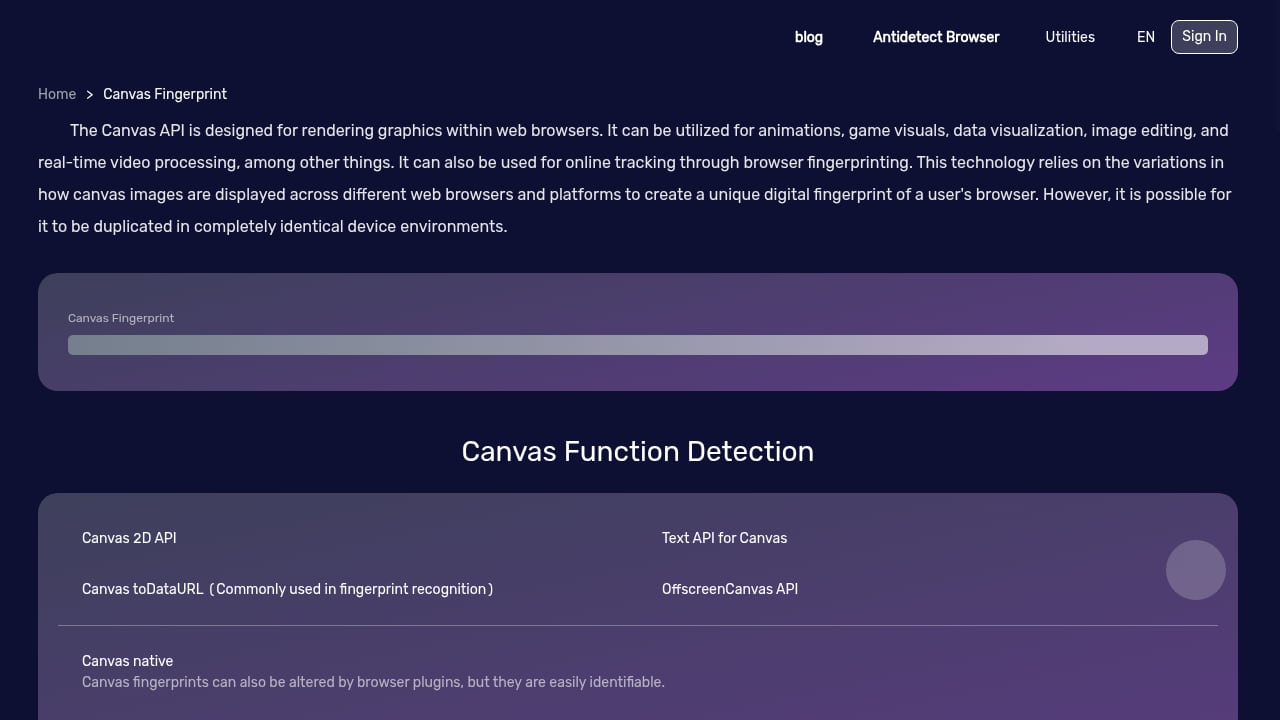
First viewport screenshot of www.browserscan.net.
A fingerprint uniqueness score is typically derived from the idea of entropy. In information theory, entropy quantifies uncertainty. When applied to browser fingerprinting, each signal (screen resolution, timezone, canvas output, and so on) contributes some number of bits based on how rare its observed value is in a reference population.
A simplified formula for a single signal is:
bits = -log2(P(observed value))Where P is the probability of that exact value occurring. Rare values produce more bits; common values produce fewer. The total score is often the sum of bits across signals, sometimes converted to a 0–100 scale for readability.
The key intuition: no single fact identifies you, but the combination can. Your timezone alone might be shared by millions. Your exact font list, GPU renderer string, and canvas hash together may be shared by very few.
Why most browsers score as "highly unique"
Academic research and large-scale fingerprinting studies have repeatedly found that the majority of real browsers are uniquely identifiable through the combination-of-signals effect. A score that saturates near the top of a scale is not necessarily a bug in the tool; it reflects how much entropy a modern browser exposes.
Signals that drive the score
First viewport screenshot of www.browserscan.net.
Different tools weight signals differently, but common contributors include:
- Canvas fingerprint – how your browser and GPU render text and shapes
- WebGL renderer – GPU model and driver strings
- Installed fonts – often a strong indicator of OS and software history
- Audio context fingerprint – small hardware-level audio processing differences
- Screen resolution and device pixel ratio – common values contribute less
- Timezone and language – rare locales narrow the pool more
- CPU thread count and device memory – higher or unusual values add bits
- Platform and user agent – known strings narrow more than blocked ones
- Plugins and touch support – sandboxed browsers may expose fewer signals
A transparency-focused methodology might publish the exact weights and entropy math behind each signal, as some open-source projects do. Others use a hardcoded point system labeled as a percentage. The difference matters when you are trying to interpret a score.
How to check your own fingerprint with BrowserScan
First viewport screenshot of www.browserscan.net.
BrowserScan is a free online tool that analyzes browser fingerprints and privacy leaks, showing what websites can see about you. It includes a browser fingerprint authenticity score, real-time bot signal detection, and a suite of leak tests.
A practical workflow:
- Open BrowserScan and run the browser fingerprint test.
- Review the fingerprint authenticity score and the individual signals shown.
- Run the DNS leak test and WebRTC leak test to check whether your IP is exposed through other channels.
- Compare results with and without your VPN or proxy enabled.
- Note which signals change and which remain stable — stable signals are the ones that keep you linkable across sessions.
For a deeper audit, you can combine BrowserScan with UAParser.js to see how servers classify your user agent alongside your fingerprint. If you are evaluating multiple tools, see the comparison of BrowserScan vs Pixelscan.dev and WebBrowserTools for fingerprint and bot detection.
Reading a score without overtrusting it
A high uniqueness score is a signal, not a verdict. Consider these caveats:
- Reference population matters. A score is only as good as the population it was calibrated against. Weights seeded from published research may not reflect your actual audience.
- Independence is assumed. Most scoring models sum entropy bits as if signals were independent. In reality, platform and font list correlate, so the total is an estimate.
- Blocking can backfire. Disabling canvas or WebGL may reduce one signal but create a rare, distinctive configuration that stands out.
- Scores are not anonymity guarantees. A low score does not mean you are untrackable; it may mean the tool measured fewer signals.
Use the score as a starting point for investigation, then verify with leak tests and real-world checks.
Fingerprint uniqueness vs. fingerprint authenticity
These are related but distinct concepts. Uniqueness asks "how rare is this combination?" Authenticity asks "does this browser look like a genuine human-operated browser, or does it show signs of automation or spoofing?"
BrowserScan reports a browser fingerprint authenticity score alongside bot detection signals such as WebDriver, CDP, and navigator properties. A browser can be highly unique and still look authentic, or common-looking but flagged as automated. Both dimensions matter for privacy testing and for developers validating anti-bot configurations.
Practical examples
First viewport screenshot of www.browserscan.net.
Example 1: VPN user checking for leaks. A user enables a VPN and runs BrowserScan. The IP and timezone change, but the canvas fingerprint and font list remain the same. The uniqueness score stays high because stable signals still link sessions.
Example 2: Developer testing an automation setup. A developer runs a headless browser through BrowserScan. The authenticity score drops and bot signals appear, even though the fingerprint uniqueness score may look ordinary.
Example 3: Privacy-conscious user comparing configurations. A user tests default settings, then a hardened browser, then a fresh profile. Comparing scores and individual signals shows which changes actually reduce identifiability.
Related reading
- Top 10 Browser Fingerprint & IP Quality Detection Tools 2026 - Independent 2026 ranking of the best browser fingerprint and IP quality detection tools, scored on fingerprint coverage, IP intelligence, leak tests, and usability.
- How to Use BrowserScan with UAParser.js for Browser Audits - Combine BrowserScan fingerprint and leak testing with UAParser.js user-agent parsing to audit what your browser reveals and how servers classify you.
- BrowserScan vs Pixelscan.dev & WebBrowserTools: Fingerprint Test - Compare BrowserScan, Pixelscan.dev, and WebBrowserTools for browser fingerprinting, bot detection, and privacy testing. Find the right tool for your audit.
Sources and further reading
- A Study on Evaluating the Uniqueness of Fingerprints Using Statistical... - In order to maintain the consistency and to guarantee the repeatability of the analysis, we established an evaluation framework, and studied the uniqueness of fingerprints from two points of view, namely the similarity between fingerprint types and the distribution of the similarity scores produced by a minutia-based matching algorithm.
- How PrivacyTestLab Calculates Your Fingerprint Score | Methodology - PrivacyTestLab publishes the exact Shannon entropy math, signal weights, and open-source code behind every fingerprint score — not just a black-box number.
- Browser Fingerprint Analyzer - Privacy & Uniqueness Score - Analyze your browser's uniqueness and privacy exposure --% Uniqueness Score
FAQ
What is a good fingerprint uniqueness score?
There is no universal "good" number. A lower score generally means your browser looks more like others, but the meaning depends on the tool's methodology and reference population. Focus on which signals are stable and rare rather than chasing a single number.
Does a high uniqueness score mean I am being tracked?
Not directly. It means your browser configuration is statistically distinctive. Tracking requires a party to collect and link that fingerprint across visits. A high score increases the risk that linking is possible.
Can I reduce my fingerprint uniqueness score?
Sometimes. Using a mainstream browser with default settings, avoiding rare extensions and fonts, and keeping a consistent environment can make you look more common. However, aggressive blocking can create a rarer configuration. Test changes with a tool like BrowserScan rather than assuming.
How is entropy used in fingerprint scoring?
Entropy measures how much a signal narrows down the population. Each signal contributes bits based on the rarity of its value. Summing bits across signals gives an estimate of total identifiability, though the independence assumption makes it approximate.
Why do different tools give different scores?
Tools use different signal sets, weights, reference populations, and scoring scales. Some publish their methodology; others do not. A score is only comparable within the same tool and methodology version.
Conclusion
A fingerprint uniqueness score is a useful shorthand for understanding how identifiable your browser is, but it is not magic. It depends on entropy math, signal weights, and assumptions that vary between tools. The most practical approach is to check your own fingerprint with BrowserScan, review the individual signals and leak tests, and treat the score as one input in a broader privacy audit rather than a final answer.
;}.cls-2{fill:%230868f7;}.cls-3{fill:url(%23未命名的渐变_44);}.cls-4{fill:%23333;}%3c/style%3e%3clinearGradient%20id='未命名的渐变_8'%20x1='33.73'%20y1='100.61'%20x2='-0.03'%20y2='-1.06'%20gradientUnits='userSpaceOnUse'%3e%3cstop%20offset='0'%20stop-color='%237ae9fb'/%3e%3cstop%20offset='0.67'%20stop-color='%232b90f8'/%3e%3cstop%20offset='1'%20stop-color='%230868f7'/%3e%3c/linearGradient%3e%3clinearGradient%20id='未命名的渐变_44'%20x1='27.86'%20y1='18.67'%20x2='68.36'%20y2='22.22'%20gradientUnits='userSpaceOnUse'%3e%3cstop%20offset='0'%20stop-color='%235ac7f2'/%3e%3cstop%20offset='1'%20stop-color='%230868f7'/%3e%3c/linearGradient%3e%3c/defs%3e%3cpath%20class='cls-1'%20d='M29,28.74V81.91l-9.51-3.68v0L8.52,74A7.17,7.17,0,0,1,4,67.32V24.54A3.76,3.76,0,0,1,9.08,21Z'/%3e%3cpath%20class='cls-2'%20d='M68.09,78.07a13.15,13.15,0,0,1-17.9,12.06L29,81.91h0V28.74L50.19,37A13.17,13.17,0,0,0,68.08,25.3h0Z'/%3e%3cpath%20class='cls-3'%20d='M68.08,25.3a13.19,13.19,0,0,1-6.73,10.87A13.09,13.09,0,0,1,50.19,37L29,28.74V6A3.76,3.76,0,0,1,34.1,2.52l25.59,9.91A13.22,13.22,0,0,1,68.08,25.3Z'/%3e%3cpath%20class='cls-4'%20d='M129.06,81.76a4.33,4.33,0,0,1-3.19-1.31,4.4,4.4,0,0,1-1.31-3.24V56.86H97.65V77.21a4.36,4.36,0,0,1-1.35,3.2A4.68,4.68,0,0,1,93,81.76a4.32,4.32,0,0,1-3.19-1.31,4.37,4.37,0,0,1-1.32-3.24V27.27A4.58,4.58,0,0,1,89.83,24a4.59,4.59,0,0,1,7.82,3.27V48.15h26.91V27.27A4.58,4.58,0,0,1,125.91,24a4.59,4.59,0,0,1,7.82,3.27V77.21a4.37,4.37,0,0,1-1.36,3.2A4.65,4.65,0,0,1,129.06,81.76Z'/%3e%3cpath%20class='cls-4'%20d='M163.77,81.66c-6.57,0-11.76-1.92-15.44-5.7s-5.54-9.07-5.54-15.74a26.76,26.76,0,0,1,2.09-10.43,17.72,17.72,0,0,1,6.67-8.06,19.15,19.15,0,0,1,10.68-2.95,19,19,0,0,1,10.46,2.8,18.7,18.7,0,0,1,6.55,7.36,22.53,22.53,0,0,1,2.36,10.28A4.51,4.51,0,0,1,177,63.77H152.23a10.8,10.8,0,0,0,3.49,6.65c2,1.68,4.88,2.52,8.66,2.52a22.25,22.25,0,0,0,7.54-1.21c.74-.3,1.55-.67,2.37-1.07a3.75,3.75,0,0,1,1.84-.4,4.09,4.09,0,0,1,3,1.15,4,4,0,0,1,1.12,3,4.38,4.38,0,0,1-2.58,3.82,32.34,32.34,0,0,1-6.36,2.61A28.67,28.67,0,0,1,163.77,81.66ZM172.4,55.9a9.72,9.72,0,0,0-1.63-4.56A9.9,9.9,0,0,0,167,48a10.38,10.38,0,0,0-4.64-1.14,12,12,0,0,0-4.77,1.06,9.54,9.54,0,0,0-4.89,5.66,11.78,11.78,0,0,0-.51,2.3Z'/%3e%3cpath%20class='cls-4'%20d='M193,81.64a4.49,4.49,0,0,1-4.51-4.55V27.28A4.58,4.58,0,0,1,189.84,24a4.48,4.48,0,0,1,3.28-1.36A4.36,4.36,0,0,1,196.35,24a4.46,4.46,0,0,1,1.31,3.31V77.09a4.34,4.34,0,0,1-1.35,3.2A4.67,4.67,0,0,1,193,81.64Z'/%3e%3cpath%20class='cls-4'%20d='M263.79,81.71a5.7,5.7,0,0,1-4.2-1.74,5.76,5.76,0,0,1-1.73-4.19V27.37a4.58,4.58,0,0,1,1.35-3.27A4.59,4.59,0,0,1,267,27.37V72.53h24a4.58,4.58,0,0,1,3.27,7.82A4.66,4.66,0,0,1,291,81.71Z'/%3e%3cpath%20class='cls-4'%20d='M424.48,81.74a4.71,4.71,0,0,1-2.71-.88,5.43,5.43,0,0,1-1-1l-.07-.09-12.41-17-5.41,5v9.44a4.31,4.31,0,0,1-1.36,3.19,4.66,4.66,0,0,1-3.3,1.36A4.29,4.29,0,0,1,395,80.42a4.36,4.36,0,0,1-1.32-3.23V27.37A4.58,4.58,0,0,1,395,24.1a4.52,4.52,0,0,1,6.58.12,4.54,4.54,0,0,1,1.24,3.15V56.31l17.72-16.38.05,0a4.8,4.8,0,0,1,2.94-1.11,4.4,4.4,0,0,1,3.27,1.2,4.57,4.57,0,0,1,1.2,3.27,4.44,4.44,0,0,1-.77,2.33,7.45,7.45,0,0,1-1.43,1.65l-11,9.64,13.34,17.68a5,5,0,0,1,1,2.71,4.12,4.12,0,0,1-1.36,3.24A4.64,4.64,0,0,1,424.48,81.74Z'/%3e%3cpath%20class='cls-4'%20d='M317.93,81.76a21.5,21.5,0,1,1,21.17-21.5A21.37,21.37,0,0,1,317.93,81.76Zm0-34.1a12.61,12.61,0,1,0,12.42,12.6A12.52,12.52,0,0,0,317.93,47.66Z'/%3e%3cpath%20class='cls-4'%20d='M212.18,101.22a4.12,4.12,0,0,1-3.05-1.26,4.17,4.17,0,0,1-1.26-3.1V43.34a4.37,4.37,0,0,1,1.3-3.14,4.26,4.26,0,0,1,3.13-1.3,4.19,4.19,0,0,1,3.1,1.26,4.32,4.32,0,0,1,1.26,3.16,20.77,20.77,0,0,1,13-4.54,21.51,21.51,0,0,1,0,43,20.51,20.51,0,0,1-13-4.57V96.86a4.15,4.15,0,0,1-1.3,3.06A4.5,4.5,0,0,1,212.18,101.22Zm17.43-53.63c-6.23,0-12.93,4.11-12.93,12.72a12.73,12.73,0,0,0,25.46,0A12.71,12.71,0,0,0,229.61,47.59Z'/%3e%3cpath%20class='cls-4'%20d='M365.76,81.76a21.5,21.5,0,1,1,21.18-21.5A21.37,21.37,0,0,1,365.76,81.76Zm0-34.1a12.61,12.61,0,1,0,12.42,12.6A12.52,12.52,0,0,0,365.76,47.66Z'/%3e%3c/svg%3e)