
BrowserScan vs Pixelscan.dev & WebBrowserTools: Fingerprint Test
Choosing a browser fingerprint and bot detection tool is not about finding the one with the longest feature list. It is about matching the tool to the question you are asking. Are you checking whether your VPN leaks your real location? Testing whether an automation script looks human? Or verifying that a canvas-blocking extension actually changed your fingerprint?
This comparison looks at three tools that answer those questions in different ways: BrowserScan, Pixelscan.dev, and WebBrowserTools. Each has a distinct design philosophy, and understanding that philosophy is more useful than a simple feature checklist.
What Each Tool Is Designed to Do
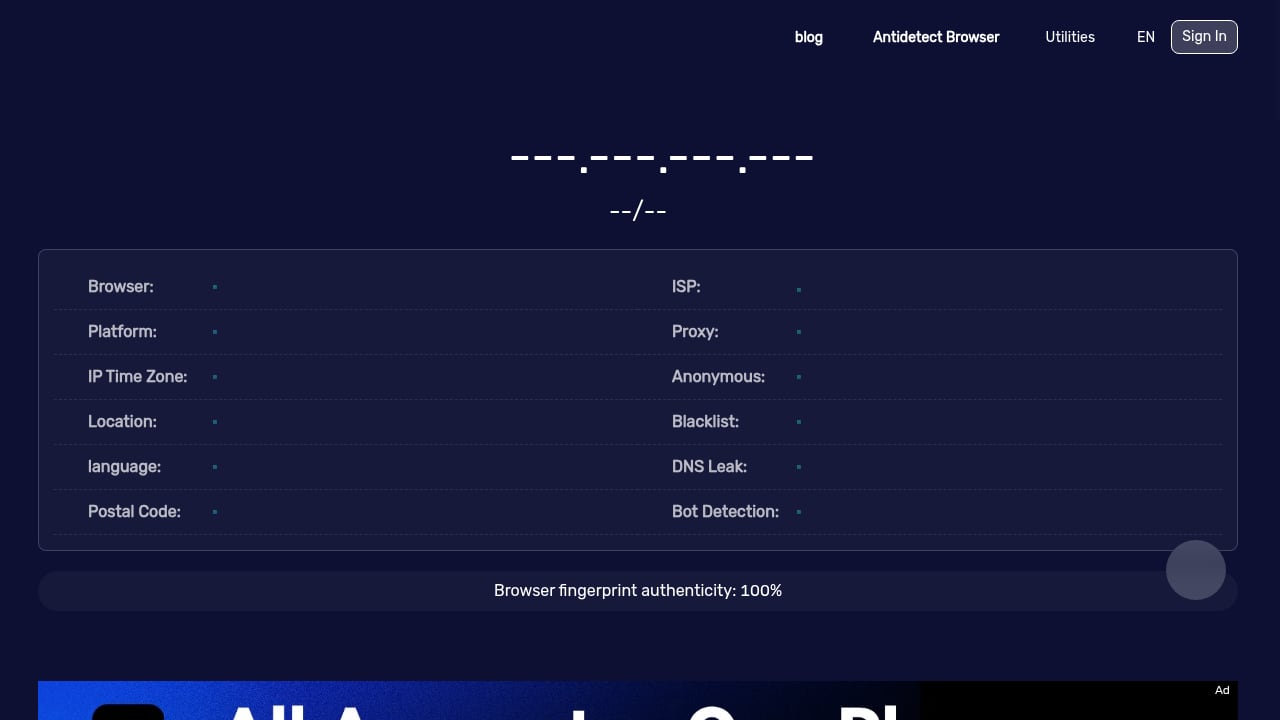
First viewport screenshot of www.browserscan.net.
BrowserScan: A Broad Privacy and Fingerprint Audit
BrowserScan is a free online platform that shows you what websites can see about your browser. It combines fingerprint analysis with a suite of leak tests, including DNS, WebRTC, and client hints. It also offers a browser fingerprint authenticity score and real-time bot signal detection covering WebDriver, CDP, and navigator properties.
Beyond detection, BrowserScan includes utility tools such as 2FA code generation, cookie conversion, currency conversion, and port scanning. That breadth makes it useful for privacy-conscious individuals, developers, and security professionals who want a single dashboard for multiple checks.
Pixelscan.dev: Consistency and Edge Telemetry
Pixelscan.dev is a free online tool that detects browser fingerprints, bot automation, VPN or proxy usage, and fingerprint spoofing. Its distinguishing feature is that it uses Cloudflare edge telemetry, which means part of the analysis happens at the network edge rather than purely in client-side JavaScript.
Pixelscan is often described as a consistency scanner. Its core question is whether your IP address, timezone, and fingerprint tell the same story. That makes it particularly relevant for anyone testing proxy configurations or anti-detect browser setups, where mismatched signals are a common failure point.
WebBrowserTools: Focused, Open, and Educational
WebBrowserTools is a community of open-source projects aimed at improving the privacy and security of your online appearance. Its canvas fingerprint page is a good example of its approach: it does not just show you a hash. It runs multiple techniques to detect whether a browser extension is spoofing the canvas result.
For instance, it checks whether a fixed image produces an expected hash, and it compares hashes generated before and after the DOM loads. If those hashes differ, the page can infer that noise is being injected. This kind of transparent, method-by-method testing is valuable for developers who want to understand how detection works, not just see a verdict.
Head-to-Head Comparison
| Criterion | BrowserScan | Pixelscan.dev | WebBrowserTools |
|---|---|---|---|
| Primary focus | Fingerprint + leak + bot audit | Consistency + edge telemetry | Open-source, method-level checks |
| Fingerprint authenticity score | Yes | Not specified | No (shows raw results) |
| Bot signal detection | WebDriver, CDP, navigator properties | Bot automation detection | Not a primary focus |
| DNS leak test | Yes | Not specified | No |
| WebRTC leak test | Yes | Not specified | No |
| Canvas spoof detection | Canvas fingerprint tool | Fingerprint spoofing detection | Detailed, multi-method canvas checks |
| Client hints | Yes | Not specified | No |
| Utility tools | 2FA, cookie conversion, currency, port scan | None specified | None specified |
| Transparency of method | Score with undisclosed formula | Edge-based consistency logic | Open-source, inspectable code |
Where BrowserScan Has a Clear Advantage
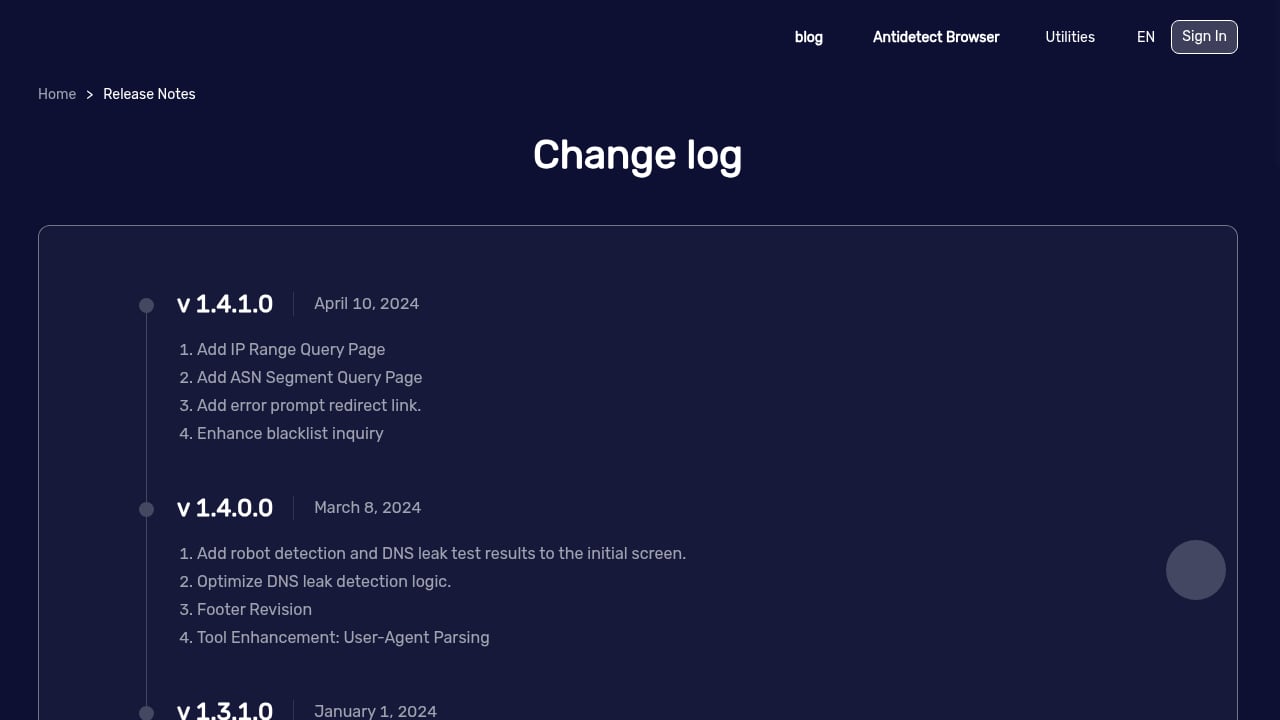
First viewport screenshot of www.browserscan.net.
BrowserScan's strength is coverage. If you want one place to check your IP address, timezone, location, ISP, proxy status, blacklist status, DNS leaks, WebRTC leaks, and bot signals, BrowserScan brings those together. The fingerprint authenticity score gives a quick read on whether your browser looks genuine, and the bot detection covers specific automation tells rather than a vague pass or fail.
For developers testing VPN or proxy configurations, the combination of leak tests and fingerprint analysis is practical. You can see not only that your IP changed, but whether other signals still contradict it. For a deeper workflow, see how bulk IP analysis supports browser fingerprint privacy.
Where Pixelscan.dev Excels
Pixelscan.dev | Browser Fingerprint & Bot Detection Tool product interface.
Pixelscan's edge telemetry is a meaningful differentiator. Because Cloudflare sits between your browser and the service, some signals are observed at the network layer rather than reported by JavaScript that could be tampered with. That makes Pixelscan a strong choice for consistency checks, especially when you suspect a proxy or anti-detect setup is creating mismatches between IP, timezone, and fingerprint.
If your main question is "does my setup tell one coherent story?" Pixelscan is built around that question. It is also frequently cited in anti-detect tool lists as a simple fingerprint checker, which reflects its accessibility.
Where WebBrowserTools Excels
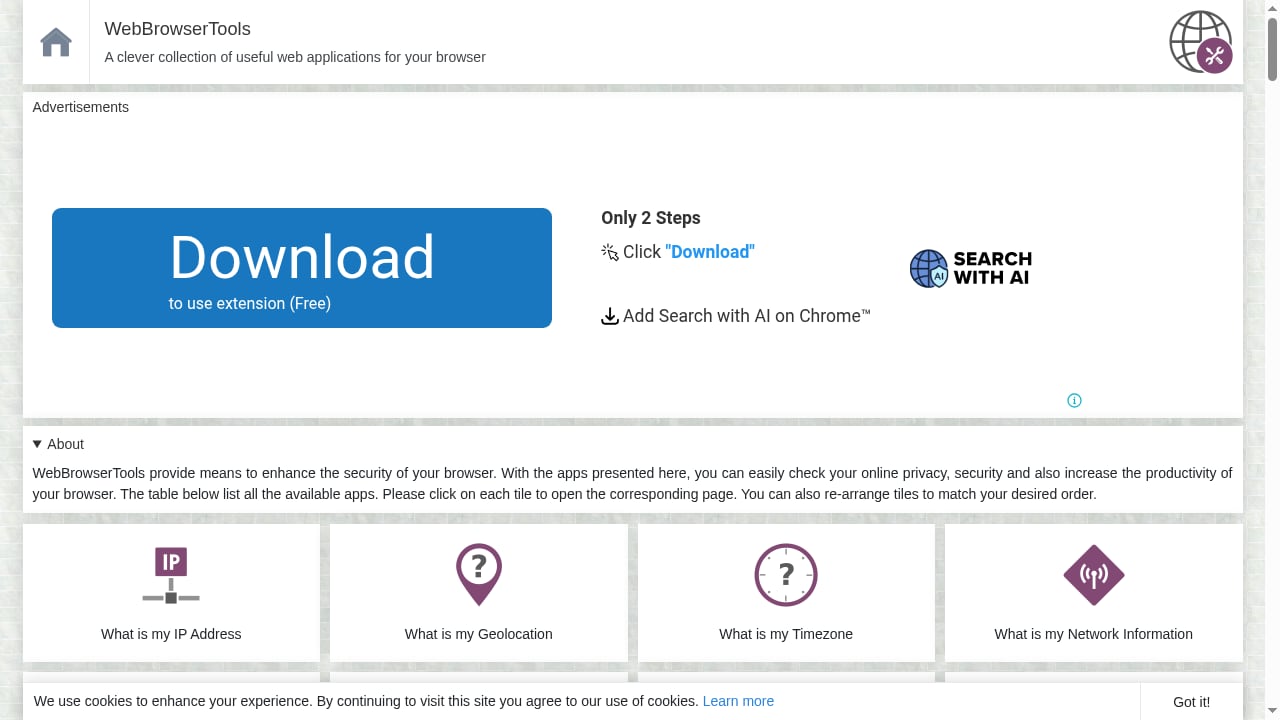
First viewport screenshot of webbrowsertools.com.
WebBrowserTools is the most transparent of the three. Its canvas fingerprint page explains exactly which techniques it uses and why. It detects fixed canvas manipulation by checking whether a known image produces an expected hash, and it detects random noise by comparing hashes before and after DOM load. It also reports canvas support details such as basic support, text API, and toDataURL.
That level of detail is ideal for developers building or debugging fingerprint spoofing extensions. If you need to know whether your noise injection is persistent or random, WebBrowserTools tells you more than a single score would. The open-source community model also means the methods are inspectable, which matters when you want to trust the result.
Which Tool Should You Use?
Use BrowserScan when you want a broad privacy audit with leak tests, bot detection, and a fingerprint authenticity score in one place. It is the best fit for a general check before and after changing VPN, proxy, or browser privacy settings.
Use Pixelscan.dev when consistency is your priority. If you are troubleshooting a proxy setup or an anti-detect browser and need to know whether IP, timezone, and fingerprint agree, its edge telemetry approach is well suited to that task.
Use WebBrowserTools when you are working at the method level. If you are developing a canvas spoofing extension or want to understand how detection techniques work, its focused, open-source pages are more instructive than a summary score.
Many privacy audits benefit from more than one tool. A practical workflow is to start with BrowserScan for a broad view, cross-check consistency with Pixelscan, and use WebBrowserTools for detailed canvas verification. For a wider ranking of options, see the top browser privacy testing and education products.
Practical Example: Auditing a New VPN
Suppose you install a VPN and want to verify it is working as expected. Start with BrowserScan to check your IP address, ISP, timezone, and proxy status, then run the DNS and WebRTC leak tests. If the fingerprint authenticity score drops or bot signals appear, investigate further.
Next, open Pixelscan to check consistency. If your IP says one country but your timezone says another, Pixelscan's consistency focus will surface that mismatch. Finally, if you use a canvas-blocking extension, open WebBrowserTools' canvas fingerprint page to confirm whether the spoofing is detected as fixed or random noise.
Related reading
- BrowserScan vs VPN Master Pro IP Checker: 2026 Comparison - Compare BrowserScan and VPN Master Pro IP Checker for fingerprinting, leak tests, and privacy audits. See which tool reveals more and which upsells a VPN.
- DeviceAtlas Review: Device Intelligence for Real-Time Targeting - Evidence-based DeviceAtlas review covering device intelligence use cases, ideal users, setup, pricing signals, strengths, limitations, and decision criteria.
Sources and further reading
- Detect Canvas Fingerprint - This page uses different techniques to recognize whether a browser extension is installed to spoof the canvas fingerprint result or not. Sometimes to protect browser identity, a browser extension adds random noise to the canvas and this noise alters the fingerprint result (hash code).
- GitHub - TheGP/untidetect-tools: List of anti-detect and humanizing tools and browsers, including captcha solvers and sms-activation. - List of anti-detect and humanizing tools and browsers, including captcha solvers and sms-activation. - TheGP/untidetect-tools
- Detection test pages — 24 entries · Awesome Antidetect - 24 entries in section 03 of the anti-detect registry, each with licence, last push, latest release and derived state. 3 carry a state mark other than ACTIVE.
FAQ
Is BrowserScan better than Pixelscan.dev?
Neither is universally better. BrowserScan offers broader coverage with leak tests, bot detection, and utility tools. Pixelscan.dev focuses on consistency using Cloudflare edge telemetry. The right choice depends on whether you need a broad audit or a consistency check.
Can WebBrowserTools detect if my canvas fingerprint is spoofed?
Yes. WebBrowserTools uses multiple techniques, including fixed-image hash comparison and before/after DOM load hash comparison, to detect whether a browser extension is altering the canvas result.
Does BrowserScan test for DNS and WebRTC leaks?
Yes. BrowserScan includes DNS leak and WebRTC leak tests alongside its fingerprint and bot detection tools.
What is a browser fingerprint authenticity score?
It is a score that indicates how genuine or consistent your browser fingerprint appears. BrowserScan provides this score as part of its fingerprint analysis.
Are these tools free to use?
BrowserScan, Pixelscan.dev, and WebBrowserTools all offer free online testing. BrowserScan also provides additional utility tools on the same platform.
Conclusion
BrowserScan, Pixelscan.dev, and WebBrowserTools are not interchangeable. BrowserScan is the broadest option for a combined fingerprint, leak, and bot audit. Pixelscan.dev is strongest for consistency checks backed by edge telemetry. WebBrowserTools is the most transparent for method-level canvas and fingerprint investigation.
A sensible approach is to use each for what it does best. Start broad with BrowserScan, verify consistency with Pixelscan, and dig into methods with WebBrowserTools. That combination gives you a more complete picture than any single tool alone.
;}.cls-2{fill:%230868f7;}.cls-3{fill:url(%23未命名的渐变_44);}.cls-4{fill:%23333;}%3c/style%3e%3clinearGradient%20id='未命名的渐变_8'%20x1='33.73'%20y1='100.61'%20x2='-0.03'%20y2='-1.06'%20gradientUnits='userSpaceOnUse'%3e%3cstop%20offset='0'%20stop-color='%237ae9fb'/%3e%3cstop%20offset='0.67'%20stop-color='%232b90f8'/%3e%3cstop%20offset='1'%20stop-color='%230868f7'/%3e%3c/linearGradient%3e%3clinearGradient%20id='未命名的渐变_44'%20x1='27.86'%20y1='18.67'%20x2='68.36'%20y2='22.22'%20gradientUnits='userSpaceOnUse'%3e%3cstop%20offset='0'%20stop-color='%235ac7f2'/%3e%3cstop%20offset='1'%20stop-color='%230868f7'/%3e%3c/linearGradient%3e%3c/defs%3e%3cpath%20class='cls-1'%20d='M29,28.74V81.91l-9.51-3.68v0L8.52,74A7.17,7.17,0,0,1,4,67.32V24.54A3.76,3.76,0,0,1,9.08,21Z'/%3e%3cpath%20class='cls-2'%20d='M68.09,78.07a13.15,13.15,0,0,1-17.9,12.06L29,81.91h0V28.74L50.19,37A13.17,13.17,0,0,0,68.08,25.3h0Z'/%3e%3cpath%20class='cls-3'%20d='M68.08,25.3a13.19,13.19,0,0,1-6.73,10.87A13.09,13.09,0,0,1,50.19,37L29,28.74V6A3.76,3.76,0,0,1,34.1,2.52l25.59,9.91A13.22,13.22,0,0,1,68.08,25.3Z'/%3e%3cpath%20class='cls-4'%20d='M129.06,81.76a4.33,4.33,0,0,1-3.19-1.31,4.4,4.4,0,0,1-1.31-3.24V56.86H97.65V77.21a4.36,4.36,0,0,1-1.35,3.2A4.68,4.68,0,0,1,93,81.76a4.32,4.32,0,0,1-3.19-1.31,4.37,4.37,0,0,1-1.32-3.24V27.27A4.58,4.58,0,0,1,89.83,24a4.59,4.59,0,0,1,7.82,3.27V48.15h26.91V27.27A4.58,4.58,0,0,1,125.91,24a4.59,4.59,0,0,1,7.82,3.27V77.21a4.37,4.37,0,0,1-1.36,3.2A4.65,4.65,0,0,1,129.06,81.76Z'/%3e%3cpath%20class='cls-4'%20d='M163.77,81.66c-6.57,0-11.76-1.92-15.44-5.7s-5.54-9.07-5.54-15.74a26.76,26.76,0,0,1,2.09-10.43,17.72,17.72,0,0,1,6.67-8.06,19.15,19.15,0,0,1,10.68-2.95,19,19,0,0,1,10.46,2.8,18.7,18.7,0,0,1,6.55,7.36,22.53,22.53,0,0,1,2.36,10.28A4.51,4.51,0,0,1,177,63.77H152.23a10.8,10.8,0,0,0,3.49,6.65c2,1.68,4.88,2.52,8.66,2.52a22.25,22.25,0,0,0,7.54-1.21c.74-.3,1.55-.67,2.37-1.07a3.75,3.75,0,0,1,1.84-.4,4.09,4.09,0,0,1,3,1.15,4,4,0,0,1,1.12,3,4.38,4.38,0,0,1-2.58,3.82,32.34,32.34,0,0,1-6.36,2.61A28.67,28.67,0,0,1,163.77,81.66ZM172.4,55.9a9.72,9.72,0,0,0-1.63-4.56A9.9,9.9,0,0,0,167,48a10.38,10.38,0,0,0-4.64-1.14,12,12,0,0,0-4.77,1.06,9.54,9.54,0,0,0-4.89,5.66,11.78,11.78,0,0,0-.51,2.3Z'/%3e%3cpath%20class='cls-4'%20d='M193,81.64a4.49,4.49,0,0,1-4.51-4.55V27.28A4.58,4.58,0,0,1,189.84,24a4.48,4.48,0,0,1,3.28-1.36A4.36,4.36,0,0,1,196.35,24a4.46,4.46,0,0,1,1.31,3.31V77.09a4.34,4.34,0,0,1-1.35,3.2A4.67,4.67,0,0,1,193,81.64Z'/%3e%3cpath%20class='cls-4'%20d='M263.79,81.71a5.7,5.7,0,0,1-4.2-1.74,5.76,5.76,0,0,1-1.73-4.19V27.37a4.58,4.58,0,0,1,1.35-3.27A4.59,4.59,0,0,1,267,27.37V72.53h24a4.58,4.58,0,0,1,3.27,7.82A4.66,4.66,0,0,1,291,81.71Z'/%3e%3cpath%20class='cls-4'%20d='M424.48,81.74a4.71,4.71,0,0,1-2.71-.88,5.43,5.43,0,0,1-1-1l-.07-.09-12.41-17-5.41,5v9.44a4.31,4.31,0,0,1-1.36,3.19,4.66,4.66,0,0,1-3.3,1.36A4.29,4.29,0,0,1,395,80.42a4.36,4.36,0,0,1-1.32-3.23V27.37A4.58,4.58,0,0,1,395,24.1a4.52,4.52,0,0,1,6.58.12,4.54,4.54,0,0,1,1.24,3.15V56.31l17.72-16.38.05,0a4.8,4.8,0,0,1,2.94-1.11,4.4,4.4,0,0,1,3.27,1.2,4.57,4.57,0,0,1,1.2,3.27,4.44,4.44,0,0,1-.77,2.33,7.45,7.45,0,0,1-1.43,1.65l-11,9.64,13.34,17.68a5,5,0,0,1,1,2.71,4.12,4.12,0,0,1-1.36,3.24A4.64,4.64,0,0,1,424.48,81.74Z'/%3e%3cpath%20class='cls-4'%20d='M317.93,81.76a21.5,21.5,0,1,1,21.17-21.5A21.37,21.37,0,0,1,317.93,81.76Zm0-34.1a12.61,12.61,0,1,0,12.42,12.6A12.52,12.52,0,0,0,317.93,47.66Z'/%3e%3cpath%20class='cls-4'%20d='M212.18,101.22a4.12,4.12,0,0,1-3.05-1.26,4.17,4.17,0,0,1-1.26-3.1V43.34a4.37,4.37,0,0,1,1.3-3.14,4.26,4.26,0,0,1,3.13-1.3,4.19,4.19,0,0,1,3.1,1.26,4.32,4.32,0,0,1,1.26,3.16,20.77,20.77,0,0,1,13-4.54,21.51,21.51,0,0,1,0,43,20.51,20.51,0,0,1-13-4.57V96.86a4.15,4.15,0,0,1-1.3,3.06A4.5,4.5,0,0,1,212.18,101.22Zm17.43-53.63c-6.23,0-12.93,4.11-12.93,12.72a12.73,12.73,0,0,0,25.46,0A12.71,12.71,0,0,0,229.61,47.59Z'/%3e%3cpath%20class='cls-4'%20d='M365.76,81.76a21.5,21.5,0,1,1,21.18-21.5A21.37,21.37,0,0,1,365.76,81.76Zm0-34.1a12.61,12.61,0,1,0,12.42,12.6A12.52,12.52,0,0,0,365.76,47.66Z'/%3e%3c/svg%3e)