
BrowserScan vs Pixelscan.dev: Best Fingerprint Detection
BrowserScan vs Pixelscan.dev: Which Fingerprint Detection Tool Better Protects Your Privacy?
Your browser leaks a surprising amount of data every time you visit a website. Fingerprint detection tools help you see what websites see, but not all tools are equal. This comparison examines BrowserScan and Pixelscan.dev to help you choose the right privacy diagnostic for your needs.
What Each Tool Does
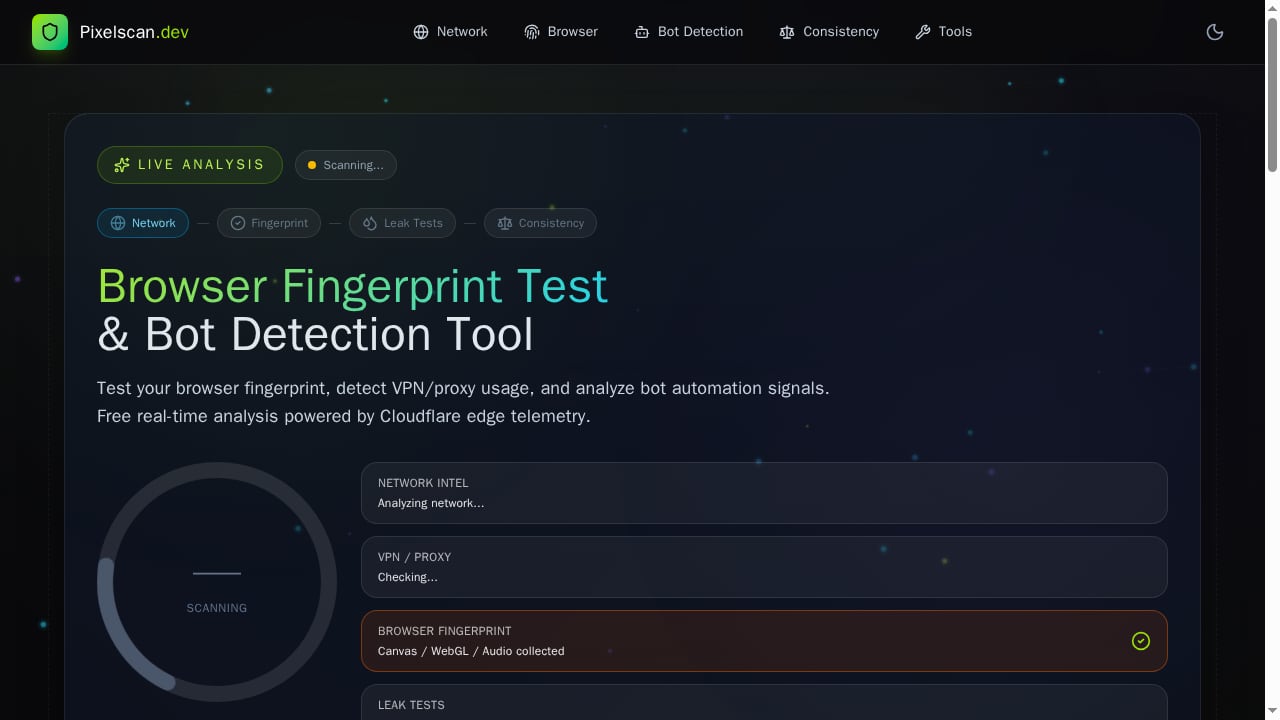
First viewport screenshot of pixelscan.dev.
BrowserScan: A Full Privacy Diagnostic Suite
BrowserScan is a browser fingerprint detection and online privacy testing platform. It goes beyond basic fingerprinting by offering a suite of utilities including DNS leak tests, WebRTC leak detection, port scanning, IP address lookup, user agent parsing, proxy server detection, speed tests, and even a 2FA code generator. The tool aims to give you a complete picture of your browser's privacy posture.
Key capabilities include:
- Fingerprint authenticity score: A percentage indicating how natural your browser fingerprint appears.
- Leak detection: Checks for WebRTC, DNS, and IP leaks that could expose your real identity.
- Bot and automation detection: Identifies signs of scripted or automated browsing.
- Hardware and software fingerprinting: Analyzes Canvas, WebGL, audio, fonts, screen resolution, and more.
- Network analysis: Displays IP, ISP, geolocation, and proxy/VPN indicators.
- Additional tools: Port scanner, speed test, user agent parser, and 2FA live.
BrowserScan is designed for both privacy-conscious individuals and professionals who need to validate antidetect browser profiles or test anti-fraud systems.
Pixelscan.dev: Cloudflare-Powered Fingerprint and Bot Detection
Pixelscan.dev is a free online tool that detects browser fingerprints, bot automation, VPN/proxy usage, and fingerprint spoofing. It leverages Cloudflare edge telemetry to analyze your digital footprint. The tool focuses on identifying inconsistencies that websites might use to flag your session as suspicious.
Key capabilities include:
- Fingerprint detection: Reveals the unique combination of attributes that identify your browser.
- Bot automation detection: Flags signs of automated tools like Selenium or Puppeteer.
- VPN/proxy detection: Identifies whether you are using a VPN or proxy.
- Fingerprint spoofing detection: Checks if your fingerprint appears manipulated.
- Cloudflare edge telemetry: Uses network-level data to enhance detection.
Pixelscan.dev is a straightforward tool for quick checks, but it offers fewer auxiliary utilities compared to BrowserScan.
Head-to-Head Comparison
Pixelscan.dev | Browser Fingerprint & Bot Detection Tool product interface.
| Feature | BrowserScan | Pixelscan.dev |
|---|---|---|
| Fingerprint authenticity score | Yes | No (provides detection but no score) |
| WebRTC leak test | Yes | Yes |
| DNS leak test | Yes | Yes |
| Proxy/VPN detection | Yes | Yes |
| Bot detection | Yes | Yes |
| Port scanner | Yes | No |
| Speed test | Yes | No |
| User agent parser | Yes | No |
| 2FA live | Yes | No |
| Fingerprint spoofing detection | Yes (via authenticity score) | Yes |
| Cloudflare edge telemetry | No | Yes |
| Additional tools | Many (IP lookup, HTTP2/SSL test, etc.) | Limited |
Where BrowserScan Excels
Comprehensive Leak Testing
BrowserScan offers a dedicated WebRTC leak test that reveals your public and local IP addresses, helping you confirm whether your VPN is working correctly. Its DNS leak test checks whether your DNS requests are being routed through your VPN or exposed to your ISP. These tests are essential for anyone serious about privacy.
Fingerprint Authenticity Score
BrowserScan's fingerprint authenticity score gives you an immediate risk assessment. A low score indicates that your browser configuration looks suspicious and may be flagged by websites. This is particularly useful for users of antidetect browsers who need to verify that their profiles appear natural.
All-in-One Toolkit
Instead of visiting multiple sites, BrowserScan bundles a port scanner, speed test, user agent parser, and even a 2FA code generator. This convenience saves time and provides a more holistic view of your privacy setup.
Clear Risk Indicators
BrowserScan presents findings with clear risk indicators, such as IP blacklist status, bot detection, and timezone consistency. This helps you quickly identify and fix issues.
Where Pixelscan.dev Falls Short
Pixelscan.dev | Browser Fingerprint & Bot Detection Tool product interface.
Limited Diagnostic Depth
While Pixelscan.dev detects fingerprints and bots, it does not provide a consolidated authenticity score or detailed breakdown of individual fingerprint components. Users must interpret raw data themselves, which can be challenging for beginners.
Fewer Auxiliary Tools
Pixelscan.dev lacks the broader utility suite that BrowserScan offers. There is no port scanner, speed test, or user agent parser. For users who want a one-stop privacy diagnostic, this is a significant limitation.
No Clear Remediation Guidance
Pixelscan.dev identifies issues but offers little guidance on how to fix them. BrowserScan, by contrast, provides actionable insights through its scoring system and detailed reports.
Dependence on Cloudflare Telemetry
Pixelscan.dev relies on Cloudflare edge telemetry, which may not be accessible to all users or may vary by region. This could affect consistency.
When to Choose Pixelscan.dev
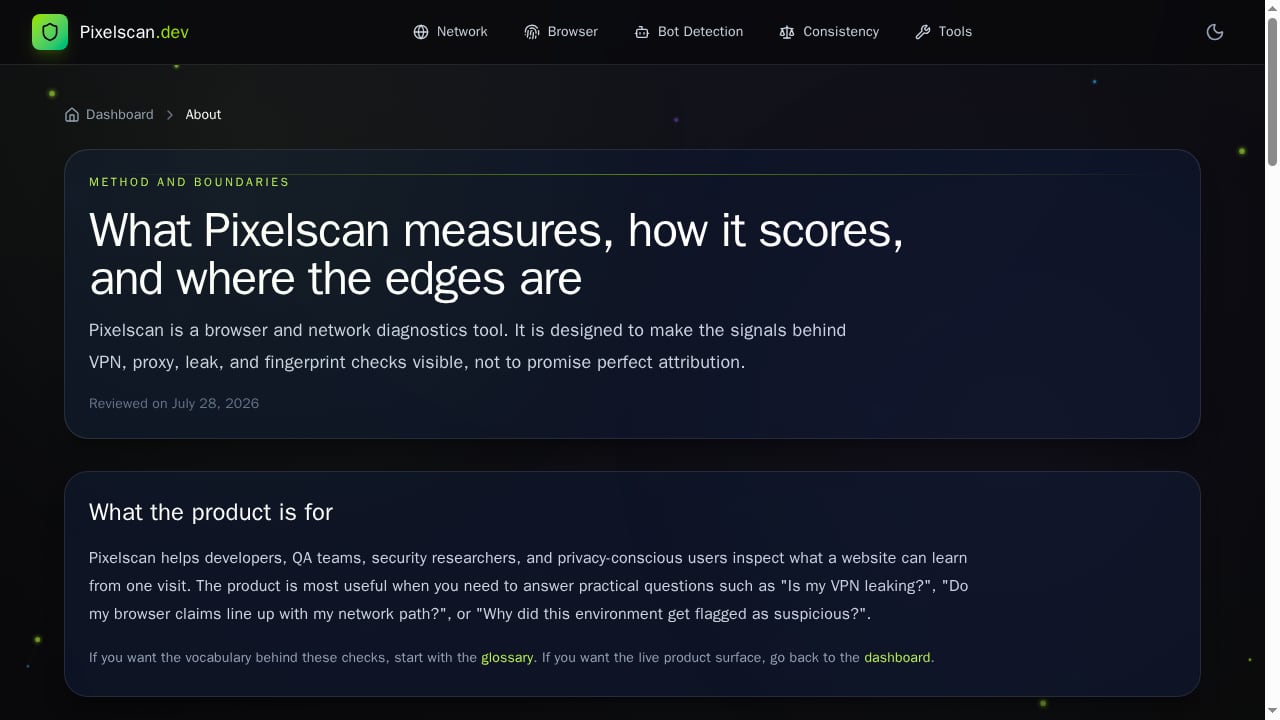
First viewport screenshot of pixelscan.dev.
Pixelscan.dev is a reasonable choice if you need a quick, free check of your browser's fingerprint and bot status. It is particularly useful if you want to see how Cloudflare's edge network perceives your session. However, for deeper analysis and a broader set of privacy tools, BrowserScan is more comprehensive.
Practical Example: Testing a VPN Setup
Suppose you configure a VPN and want to verify it is not leaking your real IP. With BrowserScan, you can run a WebRTC leak test, DNS leak test, and check your fingerprint authenticity score in one place. If the score is low, you can drill into specific parameters like Canvas or WebGL to see what is off. With Pixelscan.dev, you would need to visit separate tools for DNS and WebRTC tests, and you would not get a unified score.
Related reading
- Browser Check Review: Free Online Browser Privacy Test - Evidence-based review of Browser Check (Browser Test) - Online Browser Checker: fingerprint signals, WebRTC leaks, privacy controls, pricing, and ideal users.
- How to Use BrowserScan with AdsPower for Fingerprint Privacy - Learn how to use BrowserScan fingerprint detection with AdsPower to audit leaks, fix inconsistencies, and strengthen multi-account privacy.
Sources and further reading
- Best 10 Browser Fingerprint Test Tools in 2026 - Clearing cookies and using incognito mode isn't enough to stay anonymous online. This guide compares 10 of the best browser fingerprint test tools in 2026 — from beginner-friendly options like Iphey and Whoer to deep technical analysis with BrowserLeaks and AmIUnique — so you know exactly how trackable your browser really is.
- BrowserScan — Free Browser Fingerprint & Trust Score Analyzer - Analyze your browser fingerprint and get a trust score. Compare WebRTC evidence, DNS capability status, VPN/proxy signals, and bot indicators.
FAQ
Is BrowserScan free?
BrowserScan offers free access to most of its tools, though some advanced features may require an account. Check the website for current pricing.
Can Pixelscan.dev detect antidetect browsers?
Pixelscan.dev can detect fingerprint spoofing and inconsistencies, which may flag antidetect browsers. BrowserScan's authenticity score is specifically designed to help validate antidetect profiles.
Which tool is better for privacy beginners?
BrowserScan's clear scoring and guided reports make it more beginner-friendly. Pixelscan.dev provides raw data that may require technical knowledge to interpret.
Does BrowserScan store my data?
BrowserScan processes data locally in your browser for most tests. Refer to their privacy policy for details.
Conclusion
Both BrowserScan and Pixelscan.dev are valuable tools for fingerprint detection, but they serve different needs. BrowserScan stands out as a comprehensive privacy diagnostic suite with a wide array of tools, clear scoring, and actionable insights. Pixelscan.dev is a simpler alternative that leverages Cloudflare telemetry but lacks the depth and auxiliary features of BrowserScan. For most users seeking to improve their online privacy, BrowserScan is the more robust choice.
For a deeper dive into BrowserScan's capabilities, read our BrowserScan fingerprint detection review. You can also see how it compares to other tools in our top 10 fingerprint detection tools and BrowserScan vs Panopticlick comparison. For official information, visit BrowserScan and Pixelscan.dev.
;}.cls-2{fill:%230868f7;}.cls-3{fill:url(%23未命名的渐变_44);}.cls-4{fill:%23333;}%3c/style%3e%3clinearGradient%20id='未命名的渐变_8'%20x1='33.73'%20y1='100.61'%20x2='-0.03'%20y2='-1.06'%20gradientUnits='userSpaceOnUse'%3e%3cstop%20offset='0'%20stop-color='%237ae9fb'/%3e%3cstop%20offset='0.67'%20stop-color='%232b90f8'/%3e%3cstop%20offset='1'%20stop-color='%230868f7'/%3e%3c/linearGradient%3e%3clinearGradient%20id='未命名的渐变_44'%20x1='27.86'%20y1='18.67'%20x2='68.36'%20y2='22.22'%20gradientUnits='userSpaceOnUse'%3e%3cstop%20offset='0'%20stop-color='%235ac7f2'/%3e%3cstop%20offset='1'%20stop-color='%230868f7'/%3e%3c/linearGradient%3e%3c/defs%3e%3cpath%20class='cls-1'%20d='M29,28.74V81.91l-9.51-3.68v0L8.52,74A7.17,7.17,0,0,1,4,67.32V24.54A3.76,3.76,0,0,1,9.08,21Z'/%3e%3cpath%20class='cls-2'%20d='M68.09,78.07a13.15,13.15,0,0,1-17.9,12.06L29,81.91h0V28.74L50.19,37A13.17,13.17,0,0,0,68.08,25.3h0Z'/%3e%3cpath%20class='cls-3'%20d='M68.08,25.3a13.19,13.19,0,0,1-6.73,10.87A13.09,13.09,0,0,1,50.19,37L29,28.74V6A3.76,3.76,0,0,1,34.1,2.52l25.59,9.91A13.22,13.22,0,0,1,68.08,25.3Z'/%3e%3cpath%20class='cls-4'%20d='M129.06,81.76a4.33,4.33,0,0,1-3.19-1.31,4.4,4.4,0,0,1-1.31-3.24V56.86H97.65V77.21a4.36,4.36,0,0,1-1.35,3.2A4.68,4.68,0,0,1,93,81.76a4.32,4.32,0,0,1-3.19-1.31,4.37,4.37,0,0,1-1.32-3.24V27.27A4.58,4.58,0,0,1,89.83,24a4.59,4.59,0,0,1,7.82,3.27V48.15h26.91V27.27A4.58,4.58,0,0,1,125.91,24a4.59,4.59,0,0,1,7.82,3.27V77.21a4.37,4.37,0,0,1-1.36,3.2A4.65,4.65,0,0,1,129.06,81.76Z'/%3e%3cpath%20class='cls-4'%20d='M163.77,81.66c-6.57,0-11.76-1.92-15.44-5.7s-5.54-9.07-5.54-15.74a26.76,26.76,0,0,1,2.09-10.43,17.72,17.72,0,0,1,6.67-8.06,19.15,19.15,0,0,1,10.68-2.95,19,19,0,0,1,10.46,2.8,18.7,18.7,0,0,1,6.55,7.36,22.53,22.53,0,0,1,2.36,10.28A4.51,4.51,0,0,1,177,63.77H152.23a10.8,10.8,0,0,0,3.49,6.65c2,1.68,4.88,2.52,8.66,2.52a22.25,22.25,0,0,0,7.54-1.21c.74-.3,1.55-.67,2.37-1.07a3.75,3.75,0,0,1,1.84-.4,4.09,4.09,0,0,1,3,1.15,4,4,0,0,1,1.12,3,4.38,4.38,0,0,1-2.58,3.82,32.34,32.34,0,0,1-6.36,2.61A28.67,28.67,0,0,1,163.77,81.66ZM172.4,55.9a9.72,9.72,0,0,0-1.63-4.56A9.9,9.9,0,0,0,167,48a10.38,10.38,0,0,0-4.64-1.14,12,12,0,0,0-4.77,1.06,9.54,9.54,0,0,0-4.89,5.66,11.78,11.78,0,0,0-.51,2.3Z'/%3e%3cpath%20class='cls-4'%20d='M193,81.64a4.49,4.49,0,0,1-4.51-4.55V27.28A4.58,4.58,0,0,1,189.84,24a4.48,4.48,0,0,1,3.28-1.36A4.36,4.36,0,0,1,196.35,24a4.46,4.46,0,0,1,1.31,3.31V77.09a4.34,4.34,0,0,1-1.35,3.2A4.67,4.67,0,0,1,193,81.64Z'/%3e%3cpath%20class='cls-4'%20d='M263.79,81.71a5.7,5.7,0,0,1-4.2-1.74,5.76,5.76,0,0,1-1.73-4.19V27.37a4.58,4.58,0,0,1,1.35-3.27A4.59,4.59,0,0,1,267,27.37V72.53h24a4.58,4.58,0,0,1,3.27,7.82A4.66,4.66,0,0,1,291,81.71Z'/%3e%3cpath%20class='cls-4'%20d='M424.48,81.74a4.71,4.71,0,0,1-2.71-.88,5.43,5.43,0,0,1-1-1l-.07-.09-12.41-17-5.41,5v9.44a4.31,4.31,0,0,1-1.36,3.19,4.66,4.66,0,0,1-3.3,1.36A4.29,4.29,0,0,1,395,80.42a4.36,4.36,0,0,1-1.32-3.23V27.37A4.58,4.58,0,0,1,395,24.1a4.52,4.52,0,0,1,6.58.12,4.54,4.54,0,0,1,1.24,3.15V56.31l17.72-16.38.05,0a4.8,4.8,0,0,1,2.94-1.11,4.4,4.4,0,0,1,3.27,1.2,4.57,4.57,0,0,1,1.2,3.27,4.44,4.44,0,0,1-.77,2.33,7.45,7.45,0,0,1-1.43,1.65l-11,9.64,13.34,17.68a5,5,0,0,1,1,2.71,4.12,4.12,0,0,1-1.36,3.24A4.64,4.64,0,0,1,424.48,81.74Z'/%3e%3cpath%20class='cls-4'%20d='M317.93,81.76a21.5,21.5,0,1,1,21.17-21.5A21.37,21.37,0,0,1,317.93,81.76Zm0-34.1a12.61,12.61,0,1,0,12.42,12.6A12.52,12.52,0,0,0,317.93,47.66Z'/%3e%3cpath%20class='cls-4'%20d='M212.18,101.22a4.12,4.12,0,0,1-3.05-1.26,4.17,4.17,0,0,1-1.26-3.1V43.34a4.37,4.37,0,0,1,1.3-3.14,4.26,4.26,0,0,1,3.13-1.3,4.19,4.19,0,0,1,3.1,1.26,4.32,4.32,0,0,1,1.26,3.16,20.77,20.77,0,0,1,13-4.54,21.51,21.51,0,0,1,0,43,20.51,20.51,0,0,1-13-4.57V96.86a4.15,4.15,0,0,1-1.3,3.06A4.5,4.5,0,0,1,212.18,101.22Zm17.43-53.63c-6.23,0-12.93,4.11-12.93,12.72a12.73,12.73,0,0,0,25.46,0A12.71,12.71,0,0,0,229.61,47.59Z'/%3e%3cpath%20class='cls-4'%20d='M365.76,81.76a21.5,21.5,0,1,1,21.18-21.5A21.37,21.37,0,0,1,365.76,81.76Zm0-34.1a12.61,12.61,0,1,0,12.42,12.6A12.52,12.52,0,0,0,365.76,47.66Z'/%3e%3c/svg%3e)