
AmIUnique Review: Browser Fingerprint Test & Research Tool
AmIUnique is a free research website from Inria that shows how unique your browser fingerprint is compared with a large global dataset. This review explains what it does well, where it falls short, who should use it, and how to decide whether it belongs in your privacy toolkit.
What AmIUnique is and who runs it
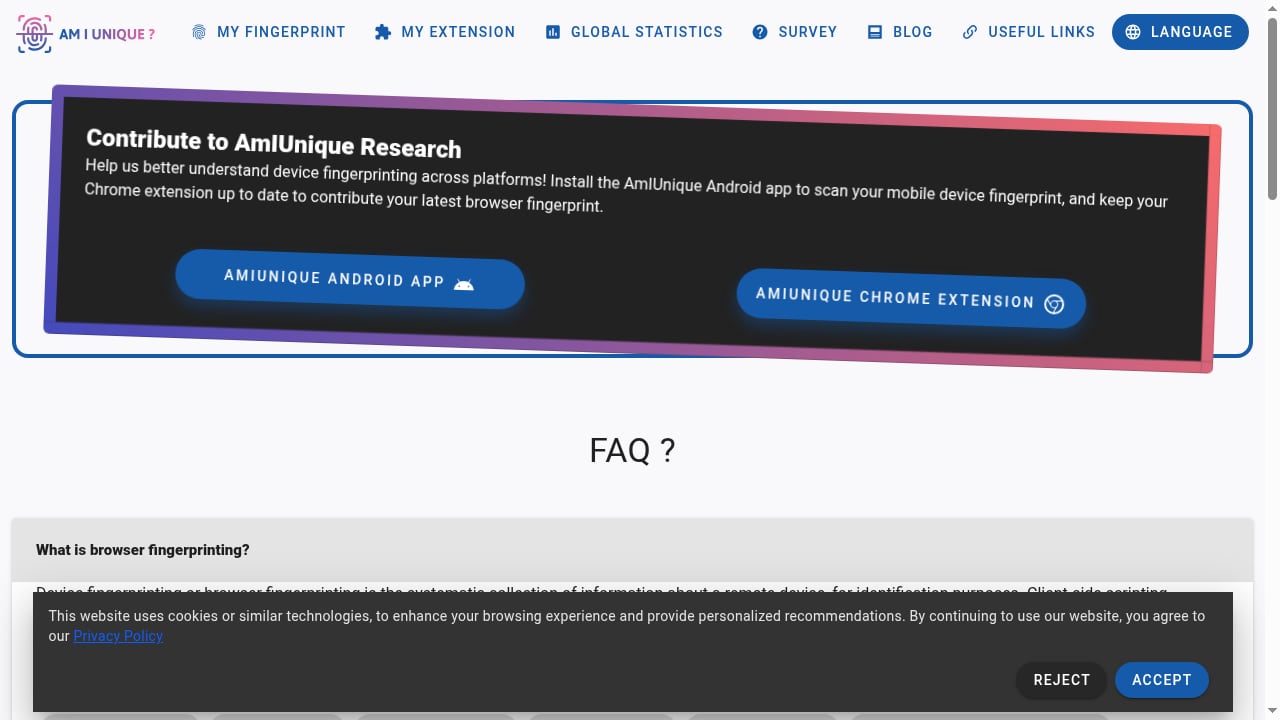
First viewport screenshot of amiunique.org.
AmIUnique is a browser fingerprinting analysis and privacy research platform hosted at Inria, a French research institute. It was created by researchers studying software monocultures and software diversity on the web. The project's goal is twofold: help individuals see their own fingerprint, and give developers and researchers data to design better defenses against tracking.
When you visit the site, it collects anonymized fingerprint data such as HTTP headers, user agent, screen resolution, fonts, plugins, and more. That data feeds statistical profiles and global statistics. The site is not a commercial product, and its stated purpose is research and education rather than selling a security service.
How the AmIUnique test works
First viewport screenshot of amiunique.org.
The test is straightforward. You open the site and request your fingerprint. In seconds, AmIUnique lists attributes such as operating system, browser, language, time zone, and screen details, then compares them with its fingerprint database. You see whether you are unique among the collected fingerprints and a similarity ratio for individual attributes.
A key feature is the time filter. You can view statistics for today, the last 7, 15, 30, or 90 days, or all time. That matters because fingerprint distributions shift as browsers update and privacy features roll out. A fingerprint that was rare a year ago may be common today.
AmIUnique also offers a Chrome and Firefox extension that checks your fingerprint daily and plots changes on a timeline. An Android app scans mobile device fingerprints. These additions turn a one-off check into a longitudinal view, which is useful for anyone tracking how browser updates or configuration changes affect identifiability.
Ideal users and use cases
AmIUnique fits several audiences well:
- Privacy-curious individuals who want a concrete, data-backed answer to "how trackable am I?" rather than a vague score.
- Researchers and students studying fingerprint diversity, entropy, and the effects of browser defaults.
- Web developers and privacy engineers who need to understand which attributes contribute most to uniqueness before building countermeasures.
- Privacy advocates and educators who want a credible, academic source to demonstrate fingerprinting concepts.
It is less suited to people who want an all-in-one privacy dashboard with IP leak tests, DNS checks, and bot detection. AmIUnique is a focused diagnostic, not a suite.
Strengths
Academic credibility. Being hosted at Inria and oriented toward published research gives AmIUnique a level of trust that commercial fingerprint testers cannot easily match. The methodology and data collection purpose are transparent.
Attribute-level detail. Instead of a single uniqueness verdict, AmIUnique breaks down similarity ratios by attribute. That helps you see whether your fonts, headers, or screen resolution are the main contributors to your fingerprint.
Time-based statistics. The ability to filter global statistics by time window is genuinely useful for understanding trends, not just a snapshot.
Longitudinal tracking. The browser extension's daily checks and timeline view are a practical way to observe fingerprint drift over weeks or months.
Free access. There is no paywall for the core test, which makes it accessible to students, journalists, and casual users.
Limitations
First viewport screenshot of amiunique.org.
Diagnostic, not protective. AmIUnique reveals your fingerprint but does not block tracking, mask attributes, or provide a VPN. Running the test does not make you harder to identify.
Research-first design. The interface prioritizes data over guidance. Users looking for step-by-step remediation advice may find it sparse compared with commercial tools.
Dataset scope. Uniqueness is relative to the fingerprints AmIUnique has collected. Its population may not match the sites you actually visit, so a "unique" result is an indicator, not a guarantee of how any specific tracker will see you.
No IP or leak testing. AmIUnique does not check DNS leaks, WebRTC leaks, or IP reputation. For a fuller audit, you need complementary tools.
Limited mobile depth. The Android app is helpful, but mobile fingerprinting analysis is less developed than the desktop experience.
Pricing signals
AmIUnique is free to use. There is no published subscription tier, no enterprise plan, and no upsell to a paid privacy product. The project is research-funded, which explains the absence of commercial pricing. If budget is a deciding factor, AmIUnique costs nothing but also offers no paid support or service-level guarantees.
Setup and practical workflow
Getting started takes under a minute:
- Visit the AmIUnique site and request your fingerprint.
- Review your uniqueness result and the similarity ratio for each attribute.
- Use the time filter to compare your fingerprint against recent versus all-time data.
- Optionally install the Chrome or Firefox extension to track daily changes.
- Note which attributes are rare, then test whether standardizing settings reduces your uniqueness.
A practical example: if your fingerprint is highly unique and the similarity ratios point to an uncommon font set or a nonstandard screen resolution, changing those attributes may lower your uniqueness score. Re-run the test after each change to confirm the effect.
For a deeper interpretation of what uniqueness scores mean, see our guide to the fingerprint uniqueness score. If you want to combine fingerprint checks with user-agent parsing during a technical audit, our walkthrough on using BrowserScan with UAParser.js shows a repeatable workflow.
How AmIUnique compares with other fingerprint testers
First viewport screenshot of amiunique.org.
AmIUnique's closest peers are EFF's Cover Your Tracks, BrowserLeaks, Pixelscan, and BrowserScan. Each takes a different angle:
- Cover Your Tracks emphasizes advocacy and tracker blocking education.
- BrowserLeaks offers deep technical tests across many signal categories.
- Pixelscan focuses on detecting fingerprint inconsistencies and leaks.
- BrowserScan combines fingerprint analysis with IP and leak testing.
AmIUnique stands out for its academic dataset and time-filtered statistics. If you need a broad audit that includes IP quality and leak detection, a comparison of browser fingerprint and IP quality detection tools can help you choose. For a side-by-side look at how BrowserScan differs from Pixelscan and WebBrowserTools, see our fingerprint test comparison.
Decision criteria
Choose AmIUnique if:
- You want an independent, research-backed view of your fingerprint uniqueness.
- You value attribute-level similarity ratios and time-based statistics.
- You are studying fingerprinting academically or building defenses.
- You want a free tool with no commercial upsell.
Look elsewhere if:
- You need IP, DNS, or WebRTC leak testing in the same session.
- You want guided remediation steps or a privacy dashboard.
- You need enterprise support or contractual guarantees.
- You want bot detection or anti-detect browser testing.
Sources and further reading
- amiunique.org Reviews | check if site is scam or legit | Scamadviser - Check amiunique.org with our free review tool and find out if amiunique.org is legit and reliable. Need advice? Report scams Check Scamadviser!
- How Does AmIUnique Work and Is It Safe? Everything You Need to Know - Discover how AmIUnique reveals your browser fingerprint, whether it
- analytics.amiunique.org Reviews | scam or legit check - Check analytics. amiunique.org with our free review tool and find out if analytics. amiunique.org is legit and reliable. Need advice? Report scams Check Scamadviser!
FAQ
Is AmIUnique safe to use?
Yes. AmIUnique is a research project hosted at Inria. It collects anonymized fingerprint data for statistical and research purposes. It does not install software or track your browsing beyond the test session.
Does AmIUnique protect me from tracking?
No. It shows your fingerprint and how unique it is, but it does not block trackers, mask attributes, or hide your IP address. It is a diagnostic tool, not a privacy shield.
Can I erase my browser fingerprint?
Not entirely. You can reduce uniqueness by standardizing settings, using privacy-focused browsers, or masking attributes with specialized tools. AmIUnique can help you measure whether those changes have an effect.
Is browser fingerprinting legal?
The technology itself is legal in most jurisdictions. However, collecting fingerprint data without consent may violate laws such as the GDPR in Europe or the CCPA in California. Legality depends on how the data is used and disclosed.
What is the best AmIUnique alternative?
It depends on your goal. Cover Your Tracks is strong for advocacy and education, BrowserLeaks for technical depth, and BrowserScan for combined fingerprint and IP leak testing. Many users run more than one tool.
Does AmIUnique have a mobile app?
Yes. An Android app is available for scanning mobile device fingerprints, though the desktop experience remains more detailed.
Conclusion
AmIUnique is a credible, free, research-driven fingerprint test with real strengths: attribute-level detail, time-filtered statistics, and a longitudinal extension. Its limitations are equally clear: it diagnoses but does not protect, and it lacks IP and leak testing. For privacy-curious users, students, and developers, it is a valuable first stop. For a complete audit, pair it with a broader tool that covers leaks, IP quality, and bot detection. Used with the right expectations, AmIUnique earns its place in the browser privacy toolbox.
;}.cls-2{fill:%230868f7;}.cls-3{fill:url(%23未命名的渐变_44);}.cls-4{fill:%23333;}%3c/style%3e%3clinearGradient%20id='未命名的渐变_8'%20x1='33.73'%20y1='100.61'%20x2='-0.03'%20y2='-1.06'%20gradientUnits='userSpaceOnUse'%3e%3cstop%20offset='0'%20stop-color='%237ae9fb'/%3e%3cstop%20offset='0.67'%20stop-color='%232b90f8'/%3e%3cstop%20offset='1'%20stop-color='%230868f7'/%3e%3c/linearGradient%3e%3clinearGradient%20id='未命名的渐变_44'%20x1='27.86'%20y1='18.67'%20x2='68.36'%20y2='22.22'%20gradientUnits='userSpaceOnUse'%3e%3cstop%20offset='0'%20stop-color='%235ac7f2'/%3e%3cstop%20offset='1'%20stop-color='%230868f7'/%3e%3c/linearGradient%3e%3c/defs%3e%3cpath%20class='cls-1'%20d='M29,28.74V81.91l-9.51-3.68v0L8.52,74A7.17,7.17,0,0,1,4,67.32V24.54A3.76,3.76,0,0,1,9.08,21Z'/%3e%3cpath%20class='cls-2'%20d='M68.09,78.07a13.15,13.15,0,0,1-17.9,12.06L29,81.91h0V28.74L50.19,37A13.17,13.17,0,0,0,68.08,25.3h0Z'/%3e%3cpath%20class='cls-3'%20d='M68.08,25.3a13.19,13.19,0,0,1-6.73,10.87A13.09,13.09,0,0,1,50.19,37L29,28.74V6A3.76,3.76,0,0,1,34.1,2.52l25.59,9.91A13.22,13.22,0,0,1,68.08,25.3Z'/%3e%3cpath%20class='cls-4'%20d='M129.06,81.76a4.33,4.33,0,0,1-3.19-1.31,4.4,4.4,0,0,1-1.31-3.24V56.86H97.65V77.21a4.36,4.36,0,0,1-1.35,3.2A4.68,4.68,0,0,1,93,81.76a4.32,4.32,0,0,1-3.19-1.31,4.37,4.37,0,0,1-1.32-3.24V27.27A4.58,4.58,0,0,1,89.83,24a4.59,4.59,0,0,1,7.82,3.27V48.15h26.91V27.27A4.58,4.58,0,0,1,125.91,24a4.59,4.59,0,0,1,7.82,3.27V77.21a4.37,4.37,0,0,1-1.36,3.2A4.65,4.65,0,0,1,129.06,81.76Z'/%3e%3cpath%20class='cls-4'%20d='M163.77,81.66c-6.57,0-11.76-1.92-15.44-5.7s-5.54-9.07-5.54-15.74a26.76,26.76,0,0,1,2.09-10.43,17.72,17.72,0,0,1,6.67-8.06,19.15,19.15,0,0,1,10.68-2.95,19,19,0,0,1,10.46,2.8,18.7,18.7,0,0,1,6.55,7.36,22.53,22.53,0,0,1,2.36,10.28A4.51,4.51,0,0,1,177,63.77H152.23a10.8,10.8,0,0,0,3.49,6.65c2,1.68,4.88,2.52,8.66,2.52a22.25,22.25,0,0,0,7.54-1.21c.74-.3,1.55-.67,2.37-1.07a3.75,3.75,0,0,1,1.84-.4,4.09,4.09,0,0,1,3,1.15,4,4,0,0,1,1.12,3,4.38,4.38,0,0,1-2.58,3.82,32.34,32.34,0,0,1-6.36,2.61A28.67,28.67,0,0,1,163.77,81.66ZM172.4,55.9a9.72,9.72,0,0,0-1.63-4.56A9.9,9.9,0,0,0,167,48a10.38,10.38,0,0,0-4.64-1.14,12,12,0,0,0-4.77,1.06,9.54,9.54,0,0,0-4.89,5.66,11.78,11.78,0,0,0-.51,2.3Z'/%3e%3cpath%20class='cls-4'%20d='M193,81.64a4.49,4.49,0,0,1-4.51-4.55V27.28A4.58,4.58,0,0,1,189.84,24a4.48,4.48,0,0,1,3.28-1.36A4.36,4.36,0,0,1,196.35,24a4.46,4.46,0,0,1,1.31,3.31V77.09a4.34,4.34,0,0,1-1.35,3.2A4.67,4.67,0,0,1,193,81.64Z'/%3e%3cpath%20class='cls-4'%20d='M263.79,81.71a5.7,5.7,0,0,1-4.2-1.74,5.76,5.76,0,0,1-1.73-4.19V27.37a4.58,4.58,0,0,1,1.35-3.27A4.59,4.59,0,0,1,267,27.37V72.53h24a4.58,4.58,0,0,1,3.27,7.82A4.66,4.66,0,0,1,291,81.71Z'/%3e%3cpath%20class='cls-4'%20d='M424.48,81.74a4.71,4.71,0,0,1-2.71-.88,5.43,5.43,0,0,1-1-1l-.07-.09-12.41-17-5.41,5v9.44a4.31,4.31,0,0,1-1.36,3.19,4.66,4.66,0,0,1-3.3,1.36A4.29,4.29,0,0,1,395,80.42a4.36,4.36,0,0,1-1.32-3.23V27.37A4.58,4.58,0,0,1,395,24.1a4.52,4.52,0,0,1,6.58.12,4.54,4.54,0,0,1,1.24,3.15V56.31l17.72-16.38.05,0a4.8,4.8,0,0,1,2.94-1.11,4.4,4.4,0,0,1,3.27,1.2,4.57,4.57,0,0,1,1.2,3.27,4.44,4.44,0,0,1-.77,2.33,7.45,7.45,0,0,1-1.43,1.65l-11,9.64,13.34,17.68a5,5,0,0,1,1,2.71,4.12,4.12,0,0,1-1.36,3.24A4.64,4.64,0,0,1,424.48,81.74Z'/%3e%3cpath%20class='cls-4'%20d='M317.93,81.76a21.5,21.5,0,1,1,21.17-21.5A21.37,21.37,0,0,1,317.93,81.76Zm0-34.1a12.61,12.61,0,1,0,12.42,12.6A12.52,12.52,0,0,0,317.93,47.66Z'/%3e%3cpath%20class='cls-4'%20d='M212.18,101.22a4.12,4.12,0,0,1-3.05-1.26,4.17,4.17,0,0,1-1.26-3.1V43.34a4.37,4.37,0,0,1,1.3-3.14,4.26,4.26,0,0,1,3.13-1.3,4.19,4.19,0,0,1,3.1,1.26,4.32,4.32,0,0,1,1.26,3.16,20.77,20.77,0,0,1,13-4.54,21.51,21.51,0,0,1,0,43,20.51,20.51,0,0,1-13-4.57V96.86a4.15,4.15,0,0,1-1.3,3.06A4.5,4.5,0,0,1,212.18,101.22Zm17.43-53.63c-6.23,0-12.93,4.11-12.93,12.72a12.73,12.73,0,0,0,25.46,0A12.71,12.71,0,0,0,229.61,47.59Z'/%3e%3cpath%20class='cls-4'%20d='M365.76,81.76a21.5,21.5,0,1,1,21.18-21.5A21.37,21.37,0,0,1,365.76,81.76Zm0-34.1a12.61,12.61,0,1,0,12.42,12.6A12.52,12.52,0,0,0,365.76,47.66Z'/%3e%3c/svg%3e)